Price Alerts on Tick2Trade: Never Miss a Breakout, Target, or Stop Loss Again
No one can watch every chart all day. Yet the moments that matter – a breakout, a target being hit, a stop level being broken – often last only a few seconds. Alerts solve this. You decide the level in advance, and Tick2Trade tells you when it happens, so you can stop staring at the screen and still react on time.
What can you set alerts on?
Tick2Trade alerts work across the instruments you trade:
- Indices like NIFTY, BANKNIFTY and SENSEX.
- Stocks such as HDFCBANK or RELIANCE.
- Futures, including continuous near-month contracts.
- Option contracts, for example a specific NIFTY strike and expiry.
Types of alert conditions
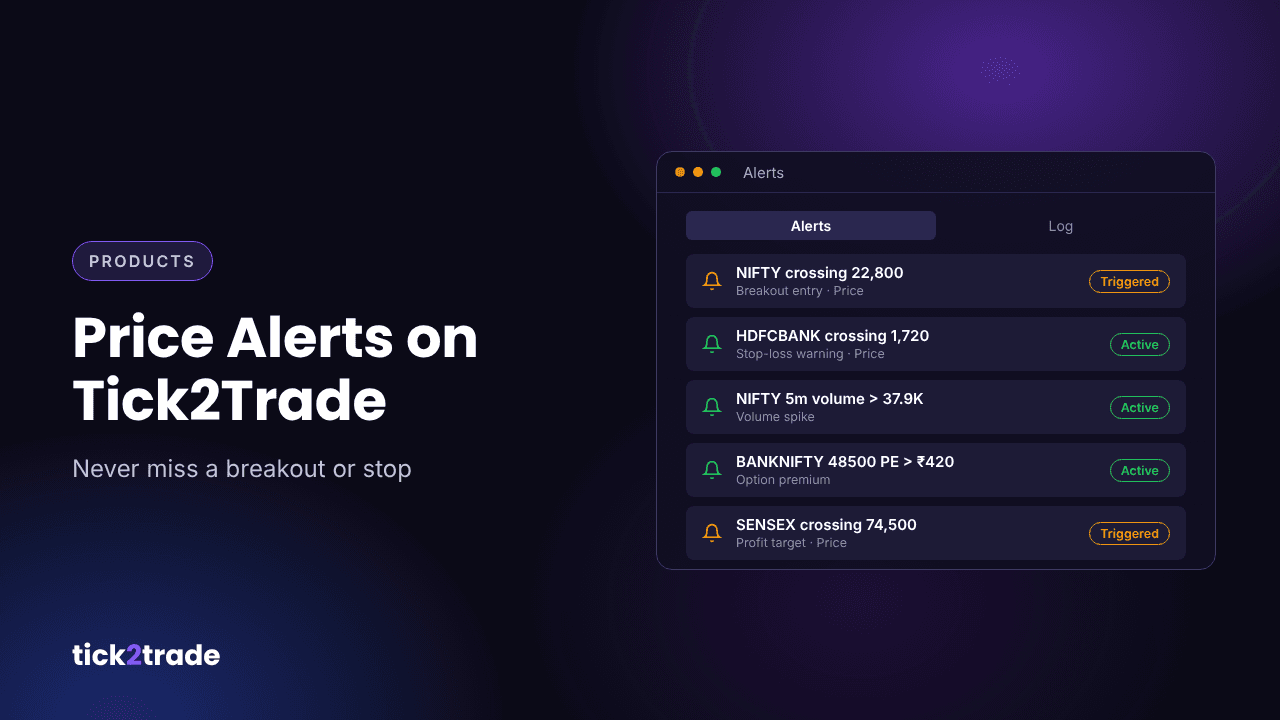
- Price crossing – triggers when price crosses a level in either direction. Ideal for breakouts and support or resistance.
- Volume conditions – for example, 5-minute volume greater than a set value, to catch unusual activity.
How to create an alert
- Open a chart and click Create Alert in the chart toolbar, or right-click a price level and choose an action at that price.
- Choose the condition, such as crossing, and the value.
- Save the alert. It now appears in the Alerts panel as Active.
When the condition is met, the alert shows as Triggered with the date and time, and the event is recorded in the Log tab so you can review what happened later.
Five practical ways to use alerts
- Breakout entry. Set an alert just above resistance instead of buying in anticipation.
- Stop-loss warning. Place an alert slightly before your stop so you can decide calmly.
- Profit target. Get notified when your target is reached so you can book or trail.
- Option premium levels. Alert when a strike's premium crosses a level that matters to your strategy.
- Volume spikes. Catch sudden interest in a stock before it shows up on the gainers list.
Tips for better alerts
- Fewer, better alerts. Too many notifications train you to ignore them.
- Review the log weekly. It shows which levels the market respected.
- Clean up old alerts. Remove alerts for setups that are no longer valid.
- Pair alerts with a plan. An alert should trigger a decision you have already made, not a new one.
Try it on Tick2Trade
Alerts let you trade your plan instead of your screen time. Open the Tick2Trade chart terminal, mark your key levels and set your first alert.
Disclaimer: This article is for educational purposes only and is not investment advice. Trading in securities and derivatives involves risk.