Execute faster with precision charting.
From idea to execution in milliseconds. Our advanced charting suite combines institutional-grade data, 50+ drawing tools, 90+ indicators, and multi-pane layouts — all designed to help you trade faster and smarter.
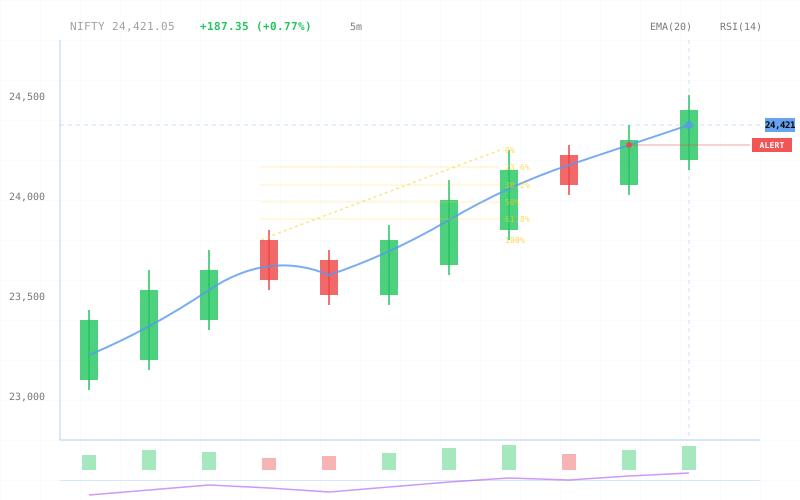
Built on precision data.
Tick-by-Tick (TBT) Data
Every tick, every trade. Our charts are powered by real-time tick-by-tick data, giving you sub-second precision for accurate analysis and faster decision-making.
- ›Sub-second tick precision for intraday strategies
- ›Capture every price movement, no data loss
- ›Build volume profiles and footprint charts with accuracy
140+ tools at your fingertips.
50+ Advanced Drawing Tools
Mark up charts like a pro. Fibonacci retracements, trend channels, pitchforks, anchored VWAP, and more — all with pixel-perfect precision.
+ Elliot wave, Gann, harmonic patterns, and 40+ more tools
Monitor everything, miss nothing.
Build your command center. Multiple chart panes with synchronized cursors, timeframes, and securities. Add OI charts, multi-strike overlays, and custom widgets — all in one view.
Additional Widgets
Go beyond price charts. Add specialized widgets for deeper analysis.
- ›OI Chart: Track open interest changes in real-time
- ›Multi-Strike Charts: Monitor OI, IV, and price across strikes
- ›Depth Panel: View order book alongside charts
Smart Sync Options
Keep all panes in perfect harmony with intelligent synchronization.
- ›Crosshair Sync: Hover on one, see across all
- ›Timeframe Sync: Switch intervals simultaneously
- ›Security Sync: Change symbols across panes instantly
- ›Time Sync: Align historical replay across charts
Save Custom Layouts
Build your perfect workspace once, use it forever. Save pane arrangements, indicators, drawing tools, and widget configurations. Load them with one click whenever you need them — perfect for different trading strategies or market conditions.
Set alerts, stay informed.
Never miss a move. Create price alerts and multi-condition alerts directly from the chart. Get notified when your setup triggers.
Price Alerts
Set alerts at specific price levels. Simple, fast, effective. Get notified via push, email, or SMS when price crosses your threshold.
Multi-Condition Alerts
Build complex alert logic using multiple conditions. Combine indicators, price levels, volume, and time — trigger only when all conditions are met.
ANDVolume > 1.5x avg
THEN Alert me
All alerts are created and managed directly from the chart — no need to leave your workspace. Edit, pause, or delete with one click.
From chart to execution.
Zero friction trading. Place orders directly from the chart with pre-defined stop loss and target levels. See your positions visualized on the chart in real-time.
One-Click Order Placement
Click on the chart to place an order at that price level. No forms, no delays — just click and trade.
Built-in Stop Loss & Target
Set your risk management parameters before you trade. Define stop loss and target levels visually on the chart, then execute with confidence.
Position Visualization
See your entry, stop loss, and target levels overlaid on the chart. Track P&L in real-time as price moves.
Modify on the Fly
Drag stop loss or target lines directly on the chart to adjust positions. No need to navigate to order management.
Speed matters in trading
By integrating execution directly into the chart, we eliminate the lag between analysis and action. Identify the setup, execute the trade, manage risk — all in one place.
Learn from the past, master the future.
Replay any trading session tick-by-tick across multiple panes. Test strategies, refine your process, and build pattern recognition — without risking capital.
Multi-Pane Replay
Replay spans across all your chart panes simultaneously. Watch how price, indicators, and OI interact in real-time replay.
Full Timeline Control
Scrub through sessions at your own pace. Pause, rewind, fast forward — analyze frame-by-frame or speed through.
Practice Execution
Place virtual trades during replay. Test your entry timing, stop placement, and exit strategy — all in a risk-free environment.
Speed is everything in trading.
Charts load in milliseconds, even with full tick data and multiple indicators. No lag, no waiting.
The most comprehensive toolkit in one platform. Everything you need, nothing you don't.
Save as many workspace layouts as you need. Different strategies, different setups, one platform.
Every tick captured, no data loss. Build footprint charts, volume profiles with full accuracy.
Place orders with SL and target directly from chart. Zero friction, maximum speed.
Crosshair, time, security, and timeframe sync across all panes. Everything moves together.
Built for performance.
- • Sub-second tick-by-tick data ingestion
- • Zero data loss during high volatility
- • Historical data back to 2015
- • Real-time OI and volume calculations
- • GPU-accelerated chart rendering
- • Handles 100,000+ candles smoothly
- • 60fps pan, zoom, and interaction
- • Optimized for multi-monitor setups
- • 90+ built-in technical indicators
- • 50+ professional drawing tools
- • Custom indicator support (coming soon)
- • Unlimited overlays per chart
- • Up to 16 panes per layout
- • Unlimited saved layouts
- • Cross-pane sync (crosshair, time, symbol)
- • Export layouts for sharing
- • Price, indicator, and multi-condition alerts
- • Push, email, SMS, and webhook delivery
- • Unlimited active alerts
- • Alert history and analytics
- • One-click order placement from chart
- • Built-in bracket orders (SL + Target)
- • Real-time position visualization
- • Drag-to-modify orders on chart
Ready to trade faster?
Experience the power of advanced charting. Start analyzing, alerting, and executing trades in milliseconds.